Updating Group Policy Administrative Templates (ADMX)

In this post we will go through the process of downloading and update ADXM templates for Group policy.

First we need to download the ADMX installer, I will be downloading the Windows 11 version.

Download Administrative Templates (.admx) for Windows 11 2024 Update (24H2) from Official Microsoft Download Center

To view the settings available we can use the corresponding spreadsheet for the templates, below is for Windows 11 24H2.

https://www.microsoft.com/en-sg/download/details.aspx?id=106255

Once downloaded we can run the installer, the default install location for is

C:\Program Files (x86)\Microsoft Group Policy
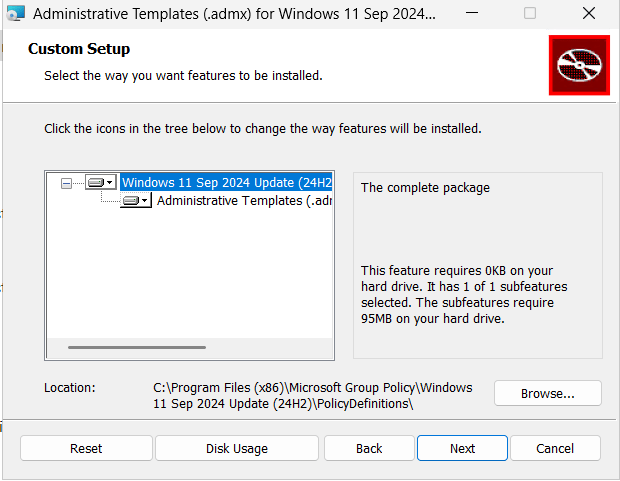
Once installed we can go to the folder and check for the admx and adml files.

The admx files will be in the root folder.
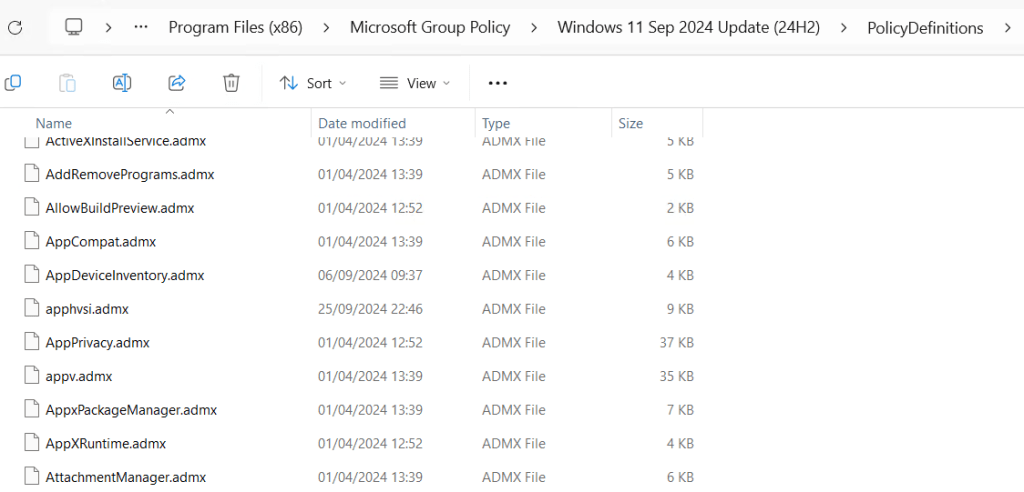
The adml files will be under the specific language version in my case it en-US
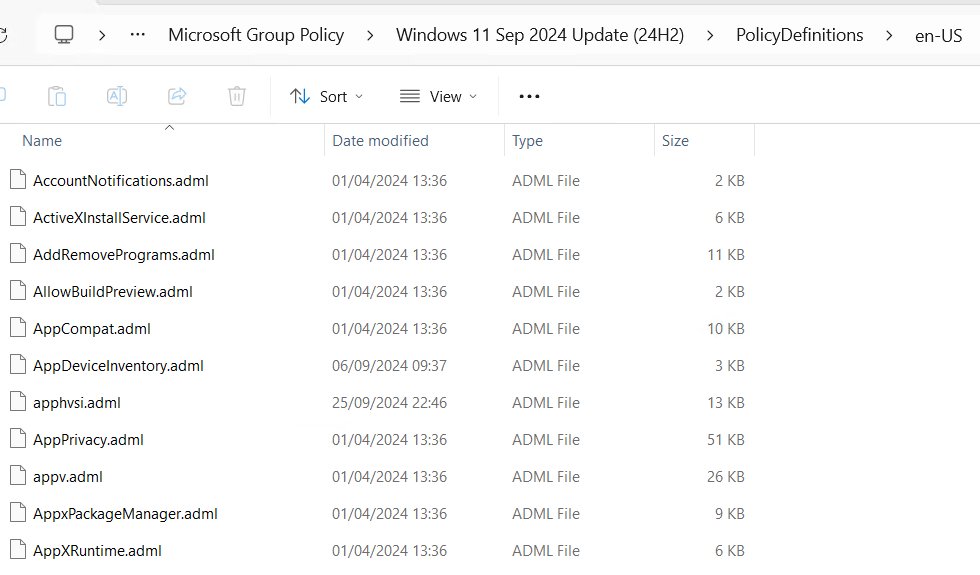
When deploying, you only need to copy the specify language version you need not all of them.

The default location for the files is c:\Windows\PolicyDefinitions, on the domain controller.
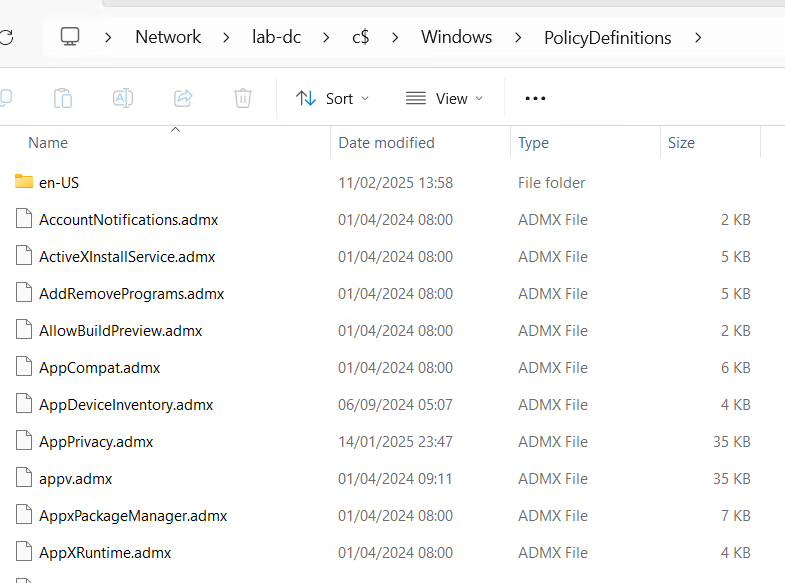
This is fine if you only have one DC but if there are multiple its better to move the PolicyDefinitions folder to the replicated sysvol folder.

Before updating the files it is recommend to backup the existing PolicyDefinitions folder.

Once backed up we can copy and overwrite the admx and adml files.
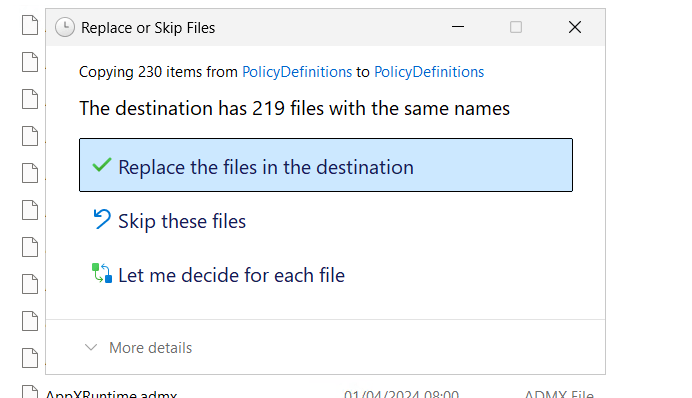
After the files are overwritten we can now use the policy settings in the new templates.
Using Microsoft Intune Custom Policies

In this post we will be going through setting up custom policy in Intune using Configuration Service Providers (CSP’s).

CSPs are similar to Group Policy and provide an interface to read, set, modify, or delete configuration settings. There are some settings that are not available in other types of configuration policies and can only be set using CSP or remediation script’s.

I am using the below link to find CPS policy settings.

https://learn.microsoft.com/en-us/windows/client-management/mdm/policy-configuration-service-provider

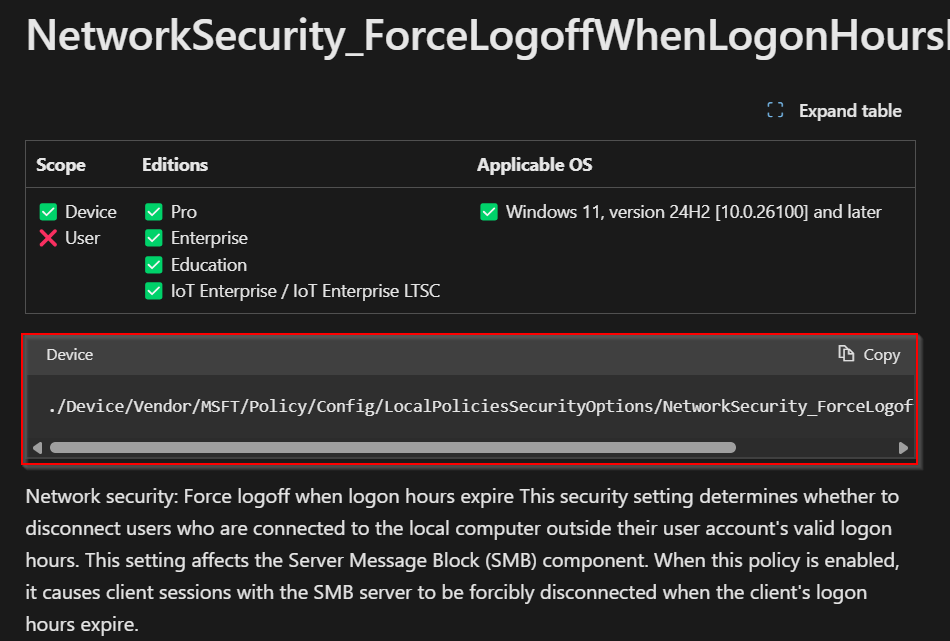
To use CPS we need to find the setting we want to configure. We can then copy the OMA-URI which follows the below format.

Device: ./Device/Vendor/MSFT/Policy/Config/AreaName/PolicyName
User: ./User/Vendor/MSFT/Policy/Config/AreaName/PolicyName

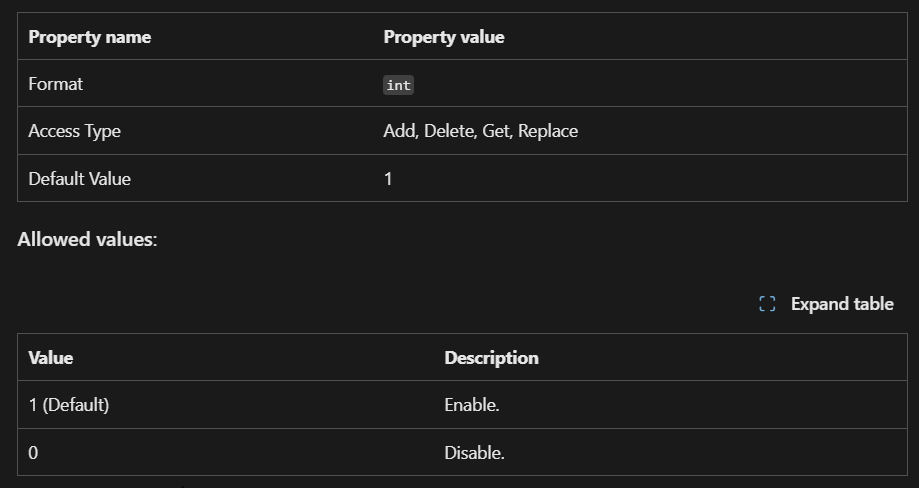
We can then check what format and values can be set.

Once we have the settings we want to configure, we can create a new policy.

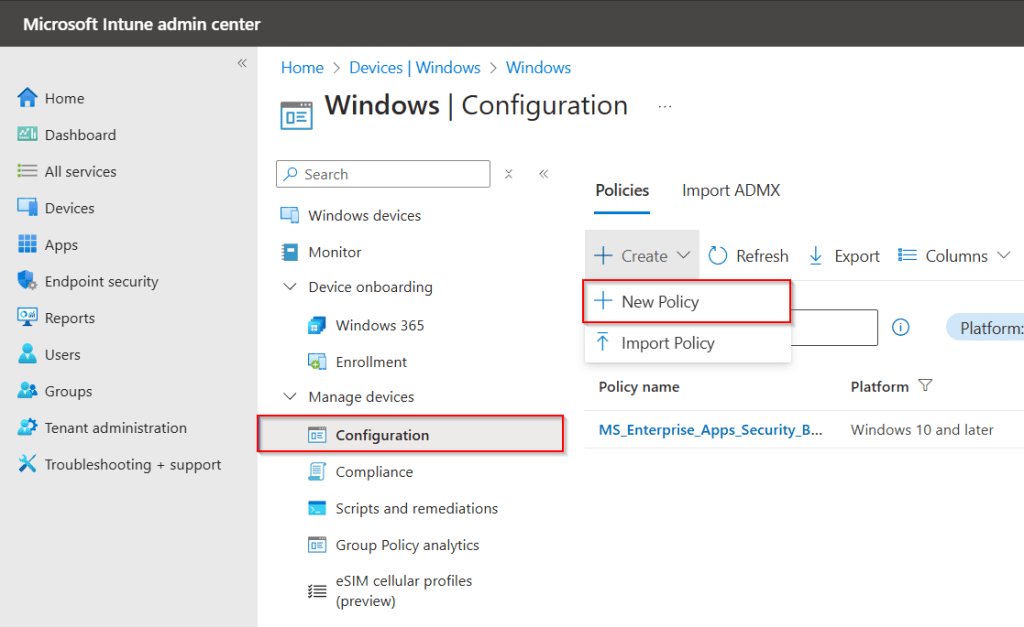
To create a policy go to Intune Admin center > Devices > Windows > Configuration and click create new policy.

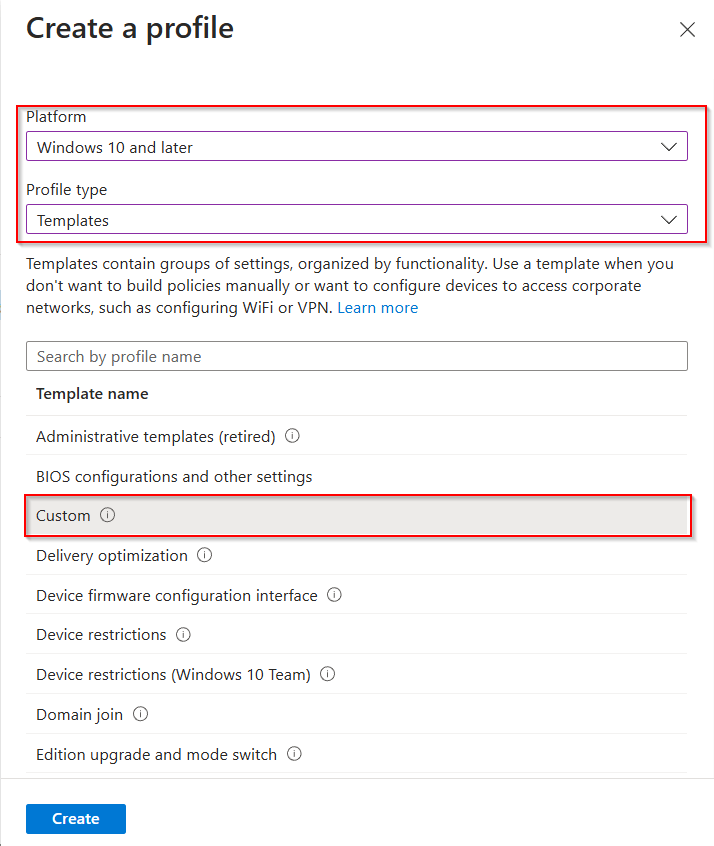
Set the platform, profile type and use custom template.

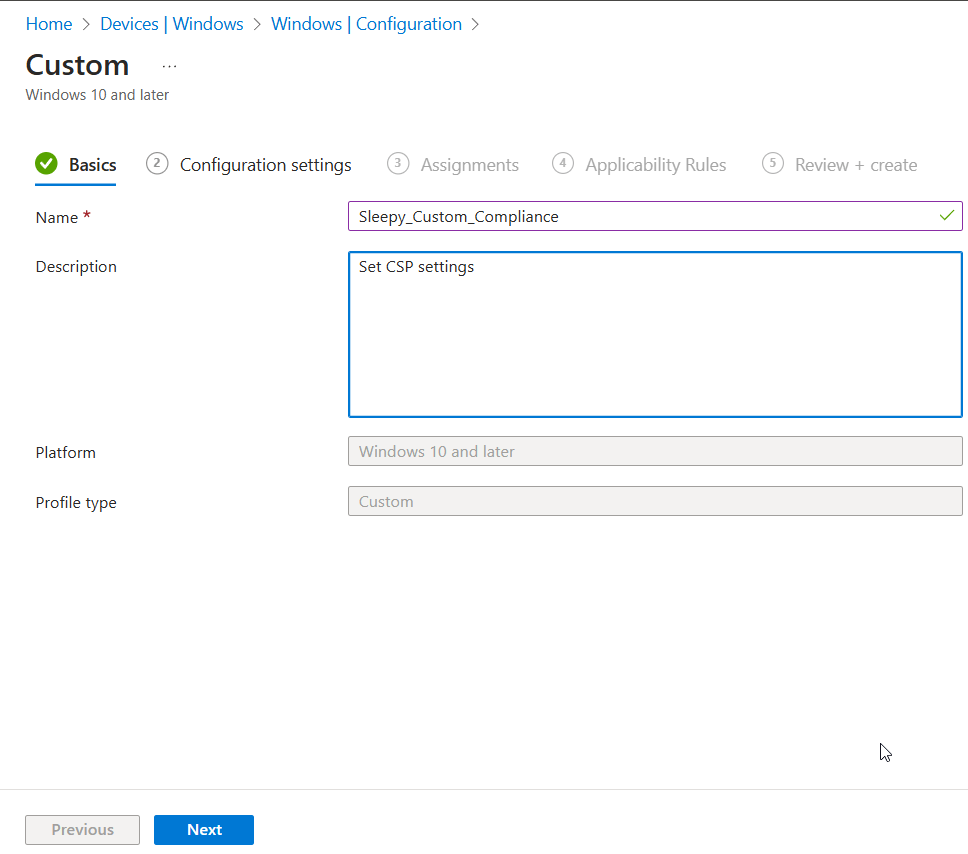
Give the policy a name and description.

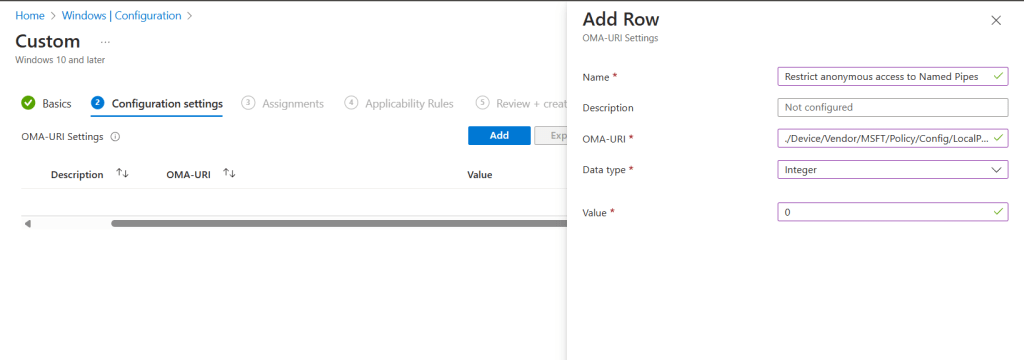
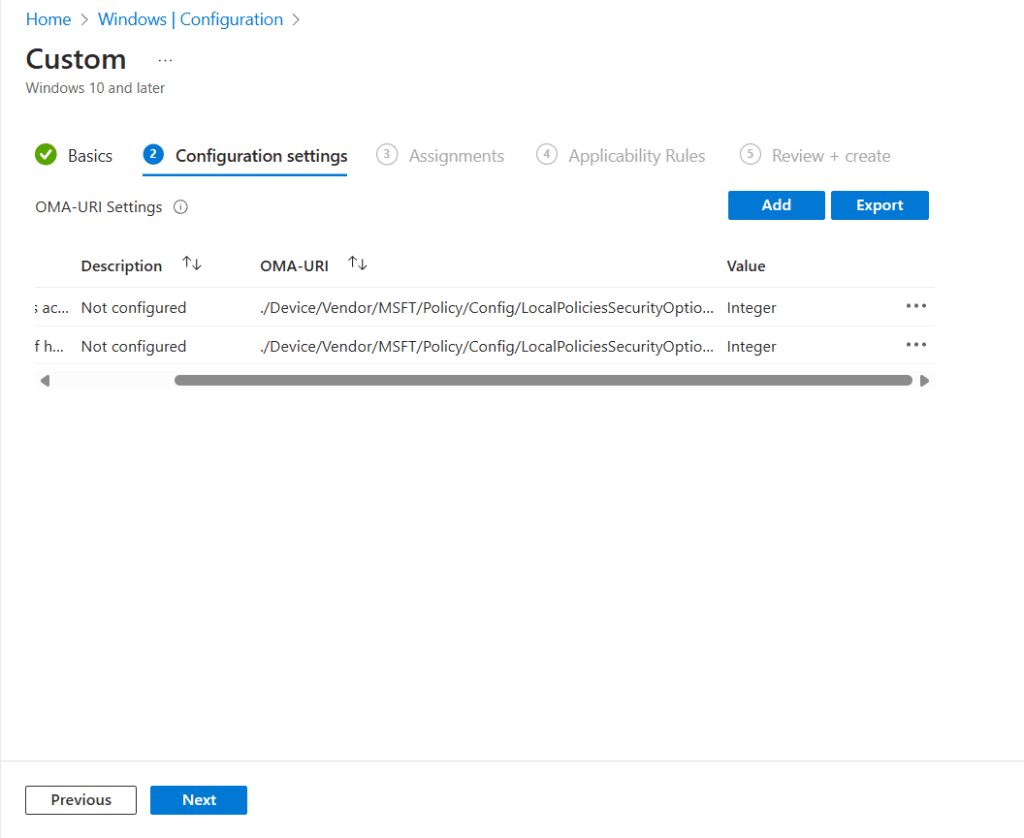
Click Add, Give the setting a name, description, OMA-URI, Data type (based on CSP documentation) and value to set.

Click save and the setting should now show. Add any additional settings and click next.

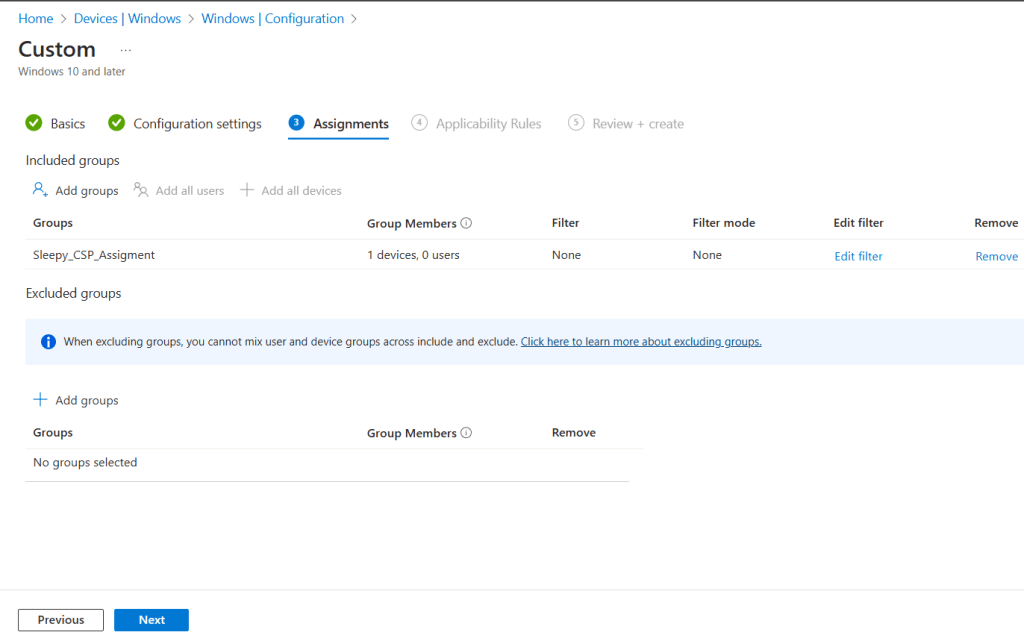
We can assign the policy to a group, or all devices / Users.

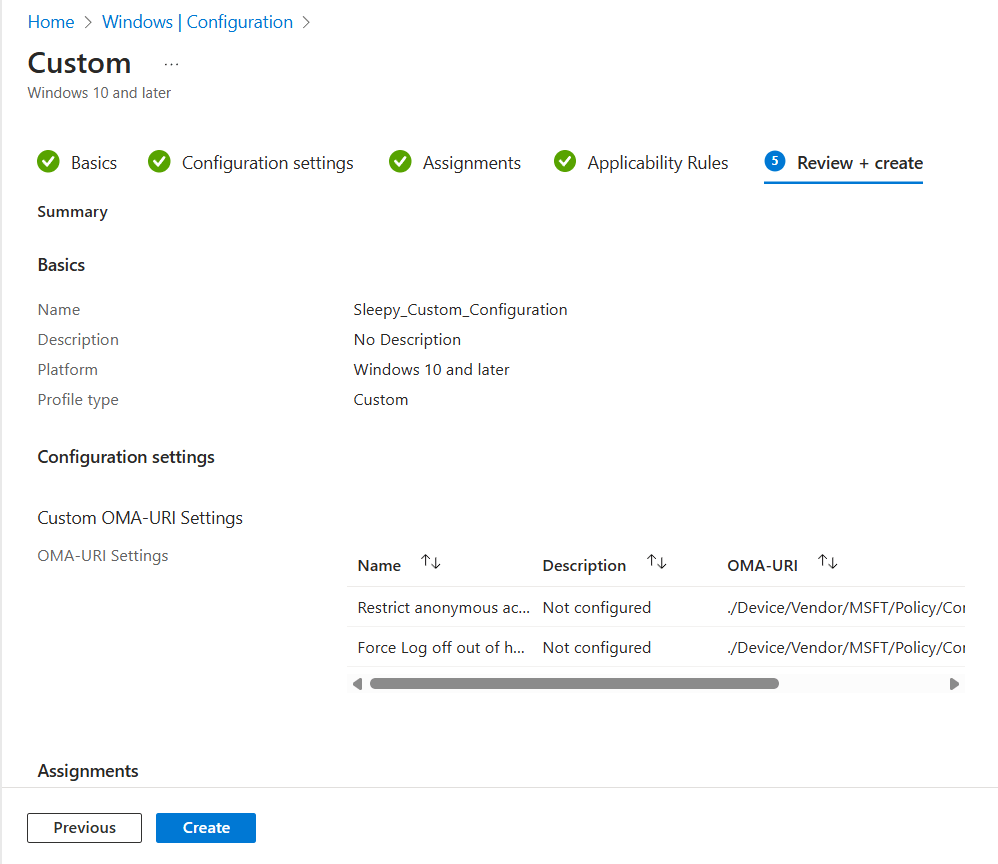
Add applicability rules if required and then review and create.

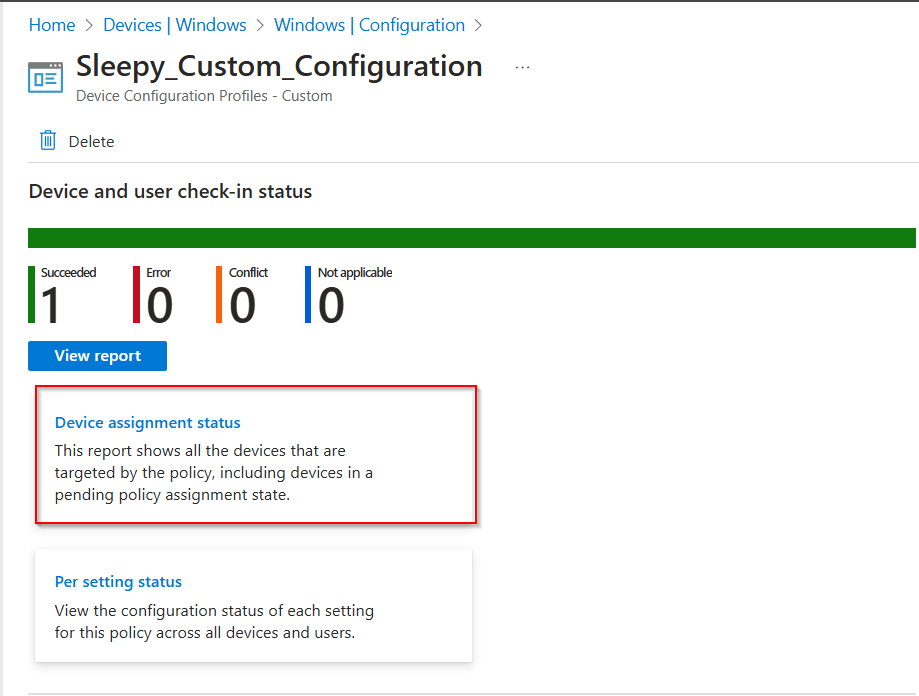
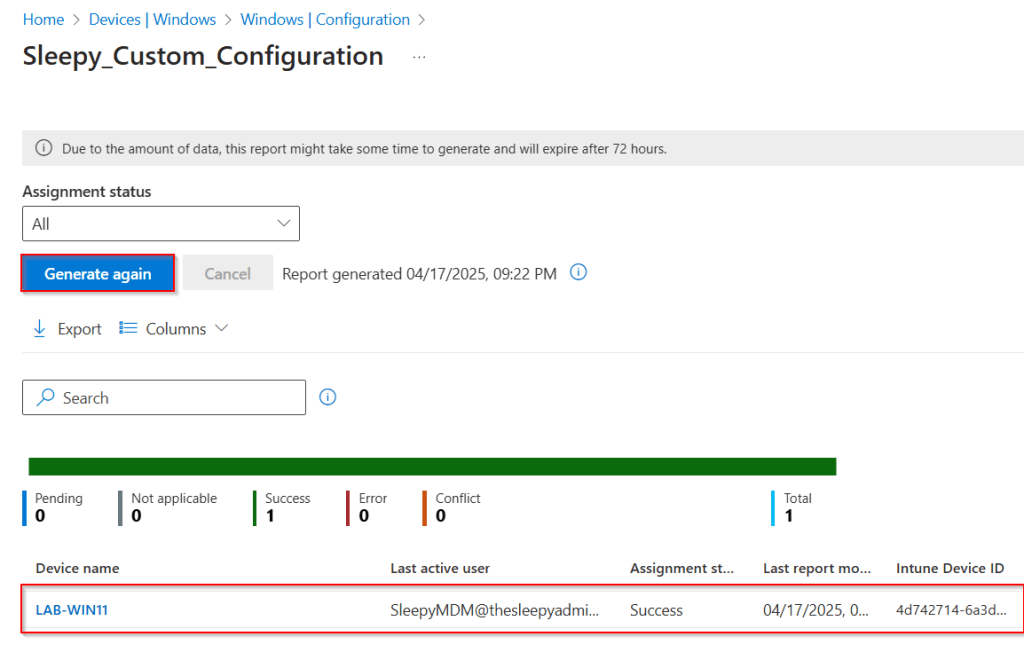
To confirm policy assignment we can generate a report by going to the policy and clicking on device assignment status.

Click generate report.

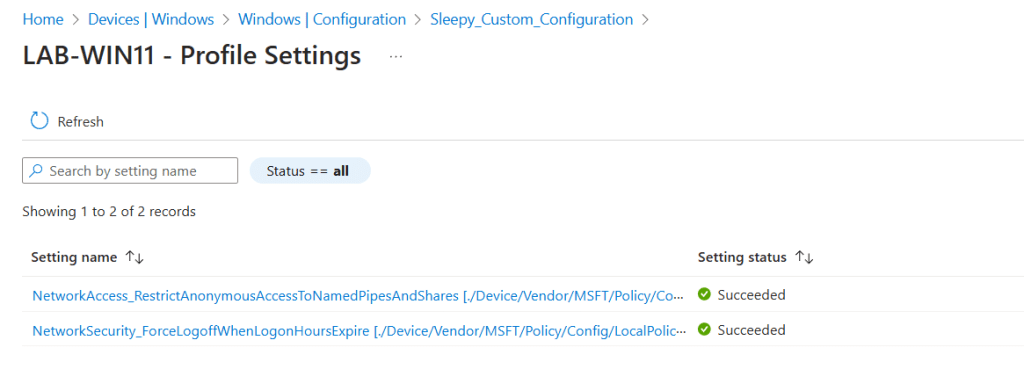
Select device from report and view setting status.

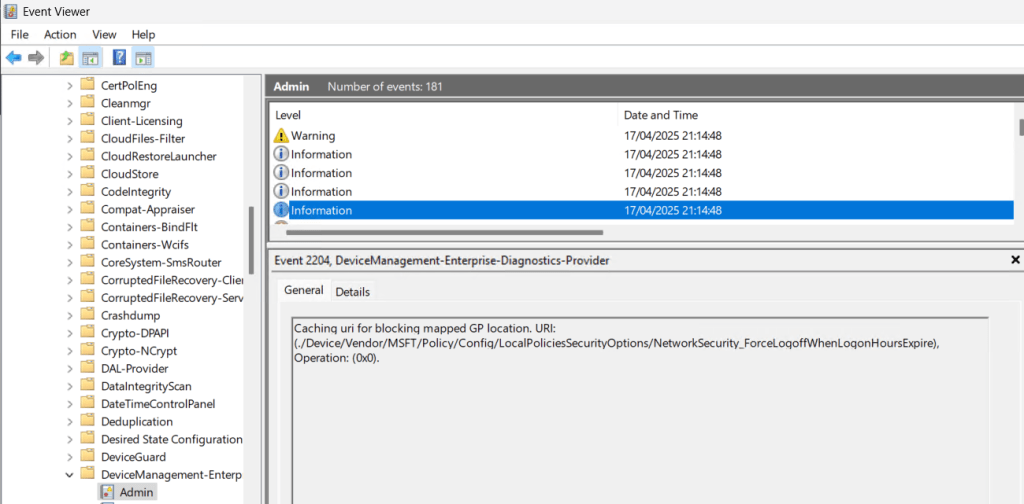
We can also check on the clients event log under Application and services logs > Microsoft > Windows > DeviceManagement-Enterprise-Diagnostics-Provider/Admin