
In this post we will be going through creating an alert rule using Azure monitor and custom log search.
This can be setup for for most services in Azure that are set to use Azure log work space or have activity logs but we will be setting up for a Azure VM in this post.
We needed to create an alert for a specific server that we have powered off and wanted to be alerted when it was powered on.
There is no out of the box alerting for this, we end up deciding to use an alert rule with a KQL query.
First we need to logon to the Azure portal and go to the VM we wanted to alert on.
Select Alerts blade and create custom alert rule.

Select custom log search from the drop down signal name.

Add the search query. I used the AzureAcitivty table and search for the operation value name for virtual machine start action.
AzureActivity
| where OperationNameValue == 'MICROSOFT.COMPUTE/VIRTUALMACHINES/START/ACTION' and ActivityStatusValue == 'Success'
| where EventSubmissionTimestamp >= (ago(2h))

We will also need to set the required measurement type, aggregation type and aggregation.
I used count as I want to alert when there is a count greater than 1, as this will mean the VM has been booted up.

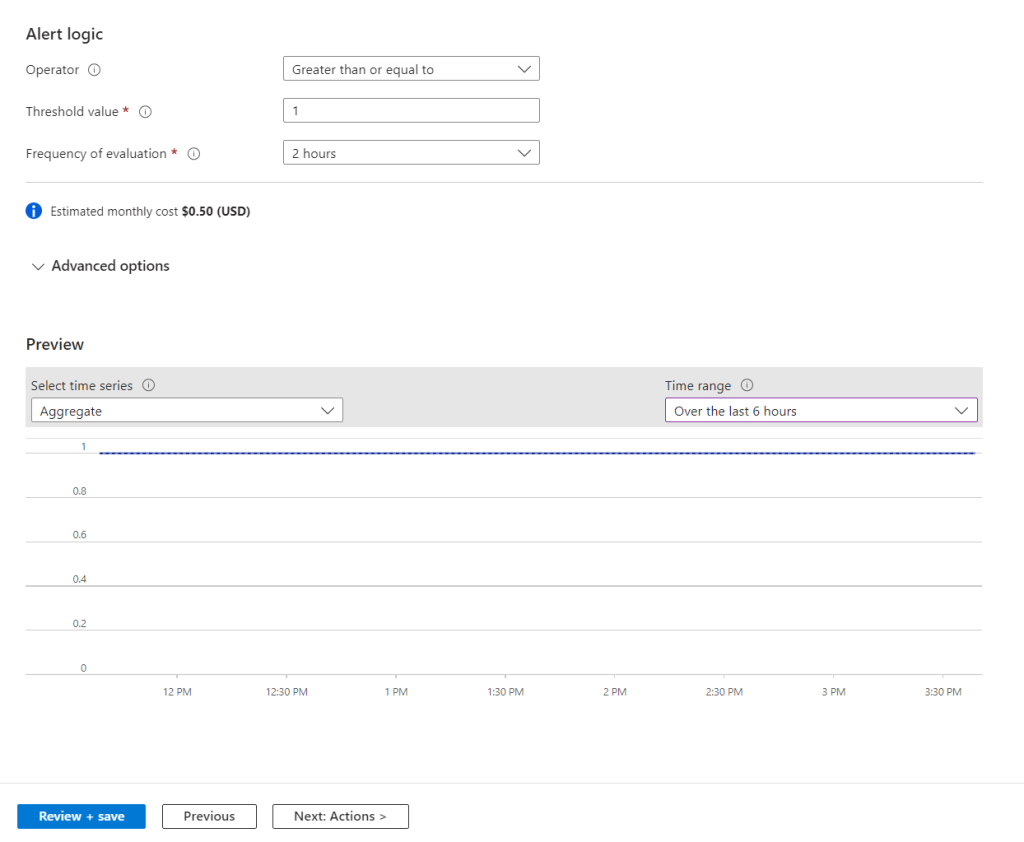
Next we need to set the alert logic.
Set the operator, threshold value and frequency check for the alert. I set the threshold to greater than one alert and evaluate the logs every 2 hours.
We can change the preview to view the current aggregate, which is one for me as I started the VM earlier in the day.
Next we need to either create a new action group or use a pre existing one. I will be creating a new group.
This can be set to send email, SMS message, push notification or voice message.

Next we need to set the subscription and resource group for the alert. We will also set the alert rule severity, name, description and region.

We can also set advanced option like automatically resolving alerts.

Next we set the tags to be used, if required.
Last step is to review and confirm all the settings.

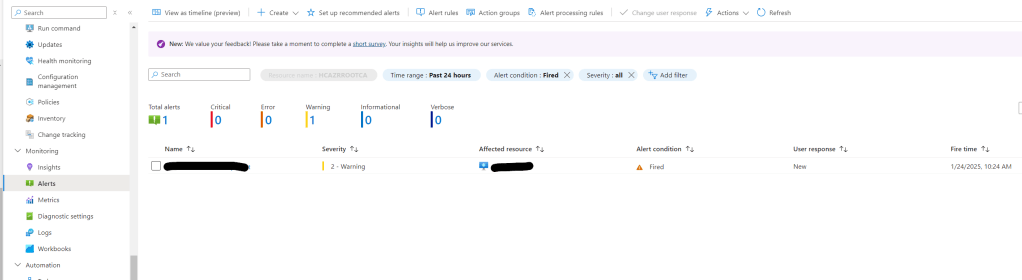
To test we can Power on the VM and check if the alert fires in the Azure portal and we received the email alert.

Setting up alerts using custom log search’s can be very usefully especially if there is no out of the box report.
 TheSleepyAdmins