
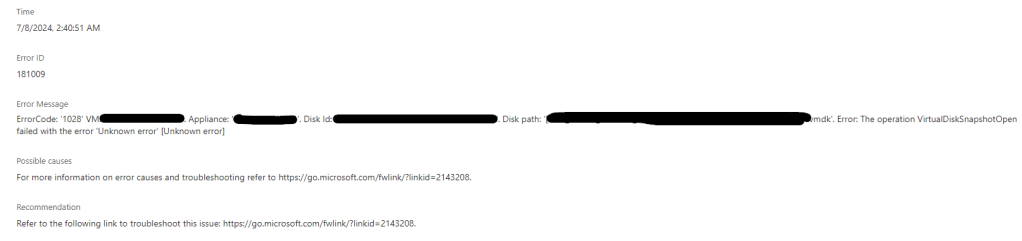
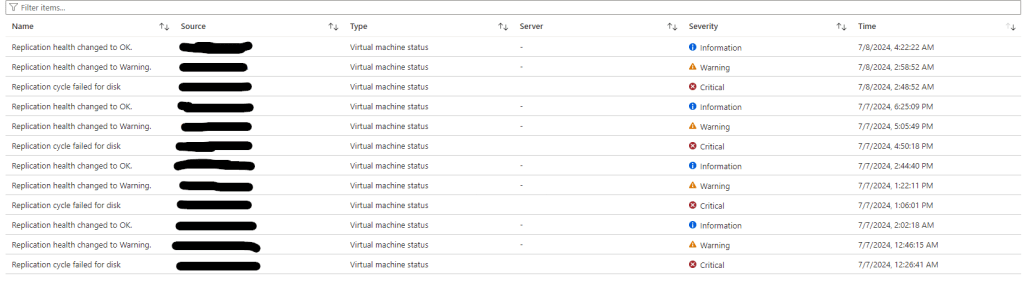
During a recent migration we have been having issues with Azure Migrate VMware (Agentless) where the replication would start failing intermittently with ErrorID 181009 and Error Message:
ErrorCode: ‘1028’ VM: ‘ServerName’. Appliance: ‘ApplianceName’. Disk Id: ”. Disk path: ‘vmdk’. Error: The operation VirtualDiskSnapshotOpen failed with the error ‘Unknown error’ [Unknown error]
- We had checked all the correct permission had been applied.
- Also confirmed that we were running the VDDK 7.0 for vSphere 7.
- Confirm the password for the account didn’t contain unsupported special characters.
We used the troubleshooting link below but there was no issue listed that matched our issues.
During troubleshooting with VMware / Azure support we end up having to download the VMware VDDK 8.0, delete the existing VDDK from “C:\Program Files\VMware\VMware Virtual Disk Development\” and updating this with the VDDK 8.0 version.
The link to the VMware VDDK is https://developer.broadcom.com/sdks/vmware-virtual-disk-development-kit-vddk/latest/
This fixed the replication issues.
 TheSleepyAdmins