
During a recent hardware refresh we have been running in to issue with domain rejoins, this happens for all users even the owner and domain admins.
During the build process we use a service account with delegated permission on the specific OU to do the domain join step.
If there was any issue or we need to re-join the device to AD we where getting the below error.
An account with the same name exists in Active Directory. Re-using the account was blocked by security policy.

This issue is from a update that was applied by Microsoft last year to harden domain joins.
This change isn’t suppose to effect users who are members of any of the below groups as they are exempt from the ownership check
- Administrators
- Enterprise Administrators
- Built-in Administrators groups
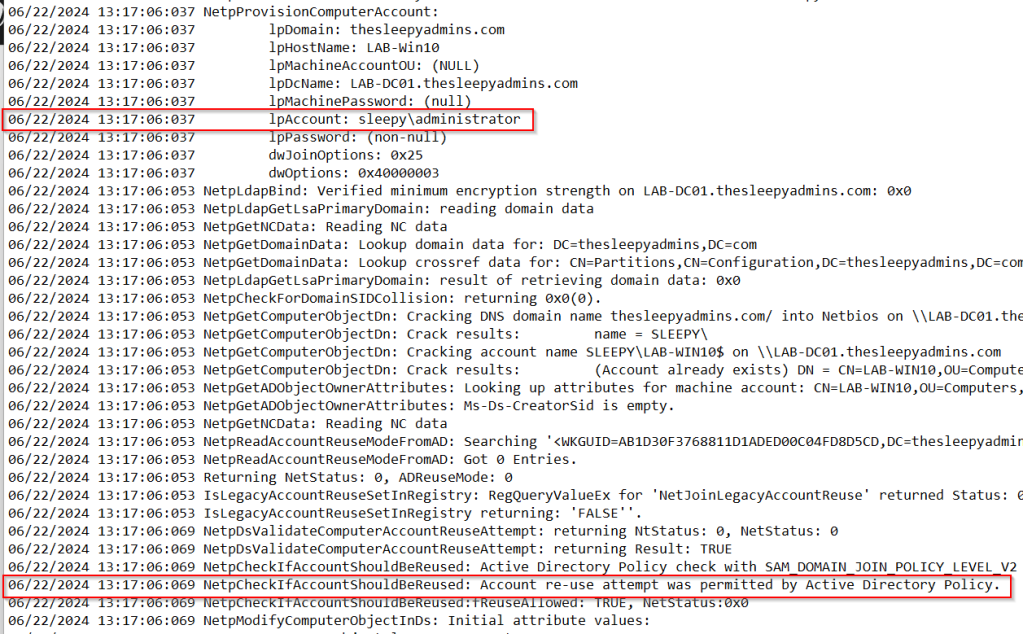
but we found that this was not the case as even with a domain admin I couldn’t rejoin. To view the domain join log go to C:\Windows\debug\NetSetup.LOG.

There is a registry workaround that can be applied but this is due to be removed in August 2024 so we wont go over that here.
To fix this issue Microsoft now recommend using a new GPO setting, we have to apply the specific policy setting to all domain controllers to set what accounts can re-join the devices to the domain.
We can set this to be either a single users or a security group but its recommend to use a group. This group should have as few users a possible this is to reduce the risk the hardening was introduced for.
To make the GPO setting available we need to install the September 12, 2023 or later updates on all member computers and domain controllers.
First we will create a new security group
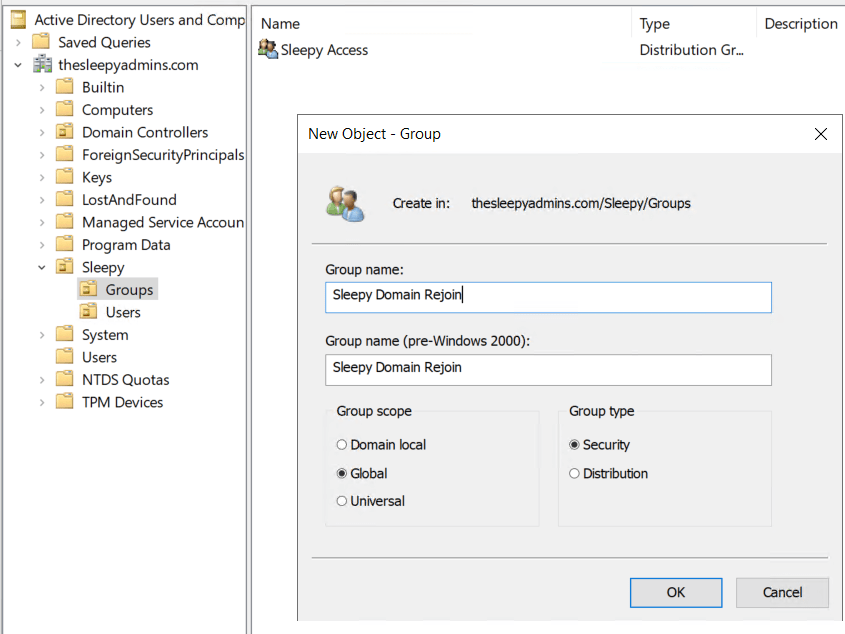
Next we can add the specific user or users to the group.
Next we can either create or re-use an existing policy, I will be creating new policy
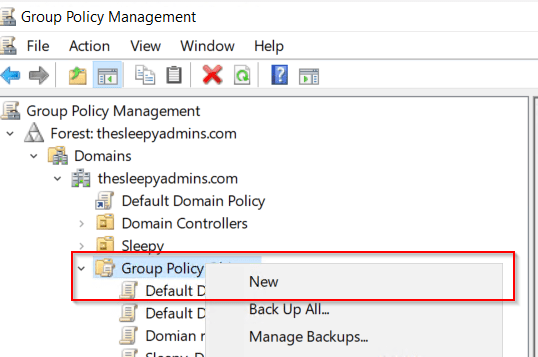
Give the policy a name.
Next edit the policy and go to Computer Configuration\Policies\Windows Settings\Security Settings\Local Policies\Security Options, double-click Domain controller: Allow computer account re-use during domain join.
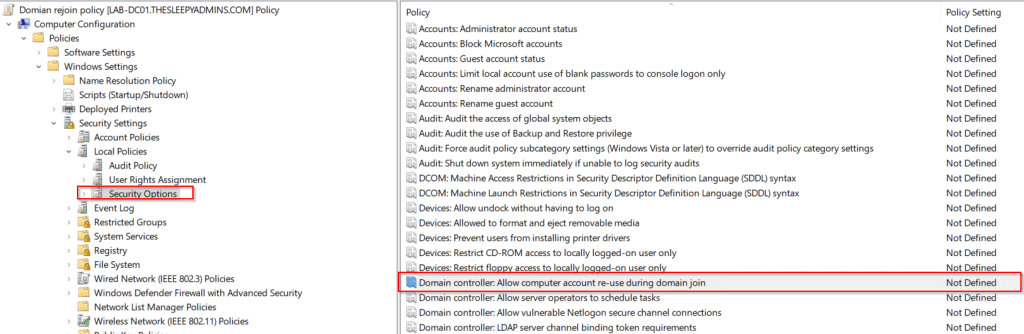
If the policy is missing it most likely that the pre-req update has been installed yet.
Select the policy setting and click edit, add users or groups of trusted computer account creators and owners to the Allow permission.
Do not add the user account that performs the domain join.

Apply the new policy to the domain controllers OU.
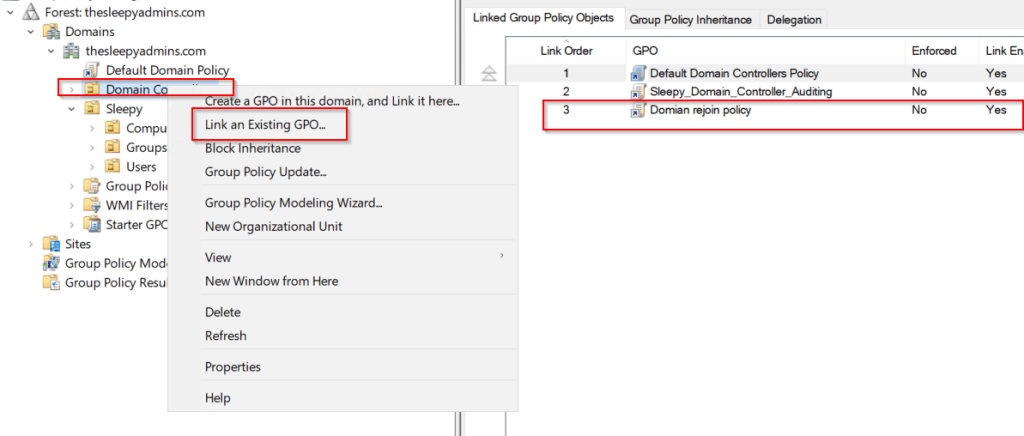
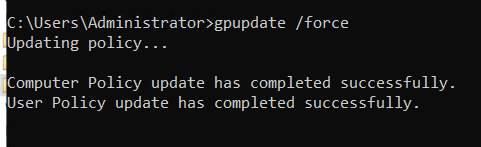
Then run gpudpate /force on each DC or wait for about 15 minutes for the policy to apply.
To confirm if the setting is applied we can check the below registry value.
| Path | HKEY_LOCAL_MACHINE\SYSTEM\CurrentControlSet\Control\SAM |
| Type | REG_SZ |
| Name | computeraccountreuseallowlist |
| Value | Equals what is in the group policy setting. |
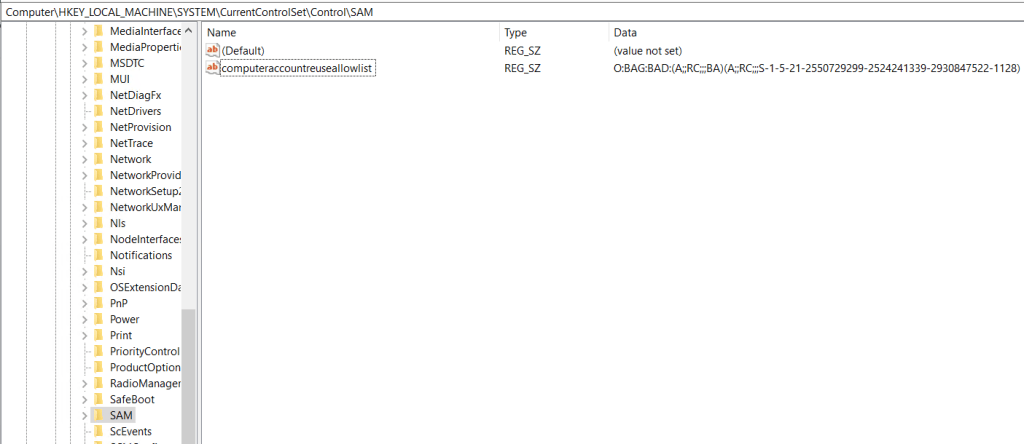
Once confirmed the setting is on the Domain Controllers,
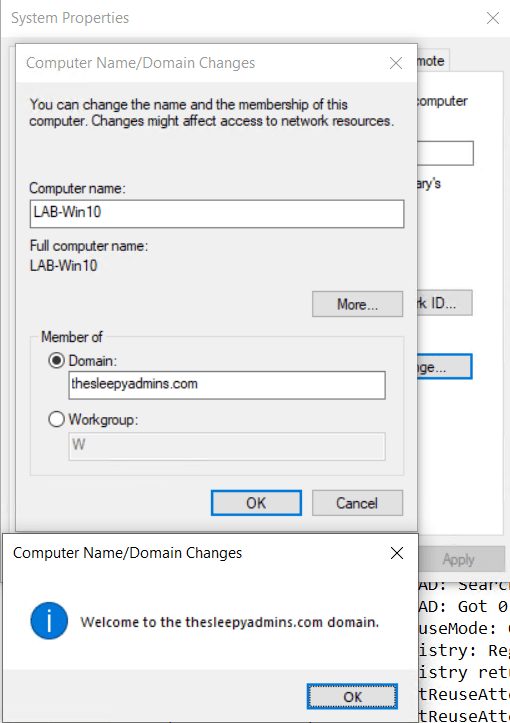
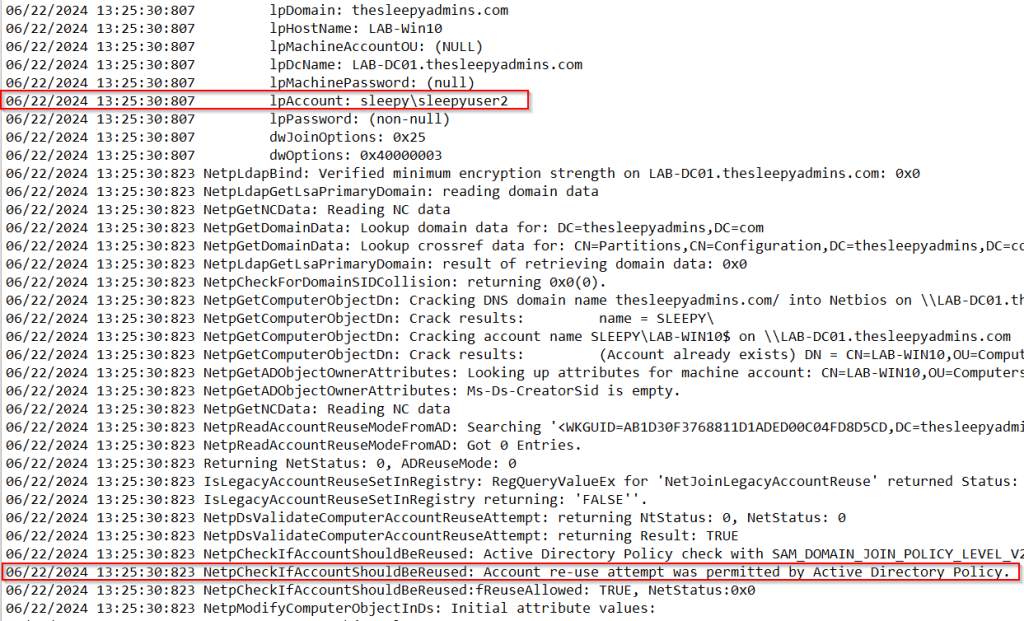
Next we tried to re-join to the domain again with a domain admin account and now the join is successful.
and if we check the log we can now see the attempt was permitted.
Now that domain admins are able to re-join I wanted to test the lower privileged account in the re-join group we created earlier.
This was also successful.
Last test was to try an account that wasn’t part of the re-join group and confirm it would be blocked from re-joining which it was.

I have tested this on a Windows 10, Windows Server 2019 & 2022 without issue.
I have run in to issues on Windows 11 as it doesn’t seem to honor the policy setting not sure why might be a bug.
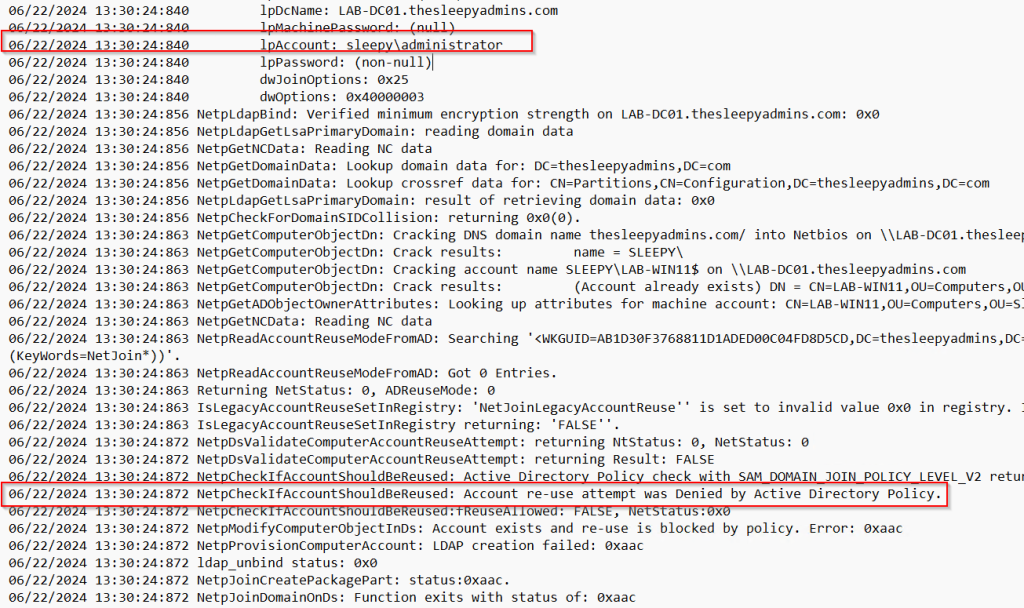
The only way I was able to get Windows 11 to re-join was to use the legacy reg value workaround and then delete after re-joining to AD.
| Path | HKLM\System\CurrentControlSet\Control\LSA |
| Type | REG_DWORD |
| Name | NetJoinLegacyAccountReuse |
| Value | 1 |
Using the group policy is a easier method than having to use the registry value and hopefully Windows 11 will be fixed in a later update.
 TheSleepyAdmins